Kitchen Remodel Before and After
A dated oak kitchen, photographed on a phone, turned into a finished remodel render — same room, same camera angle, in about 15 seconds.
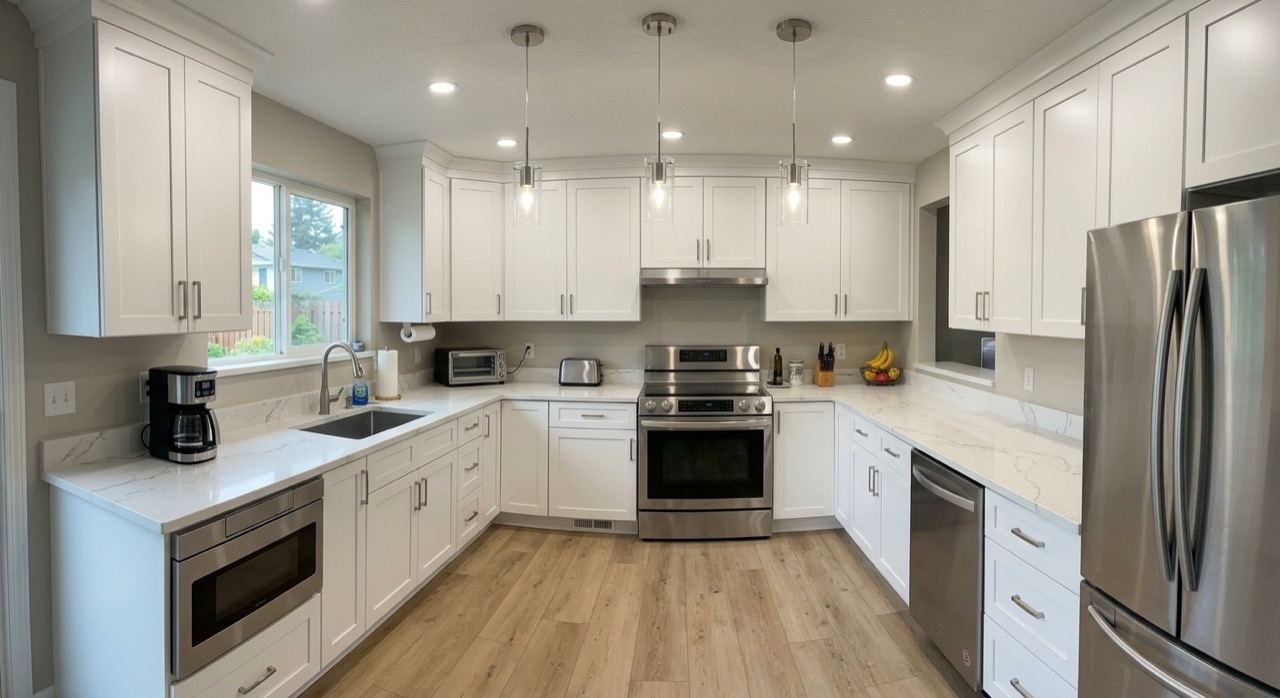
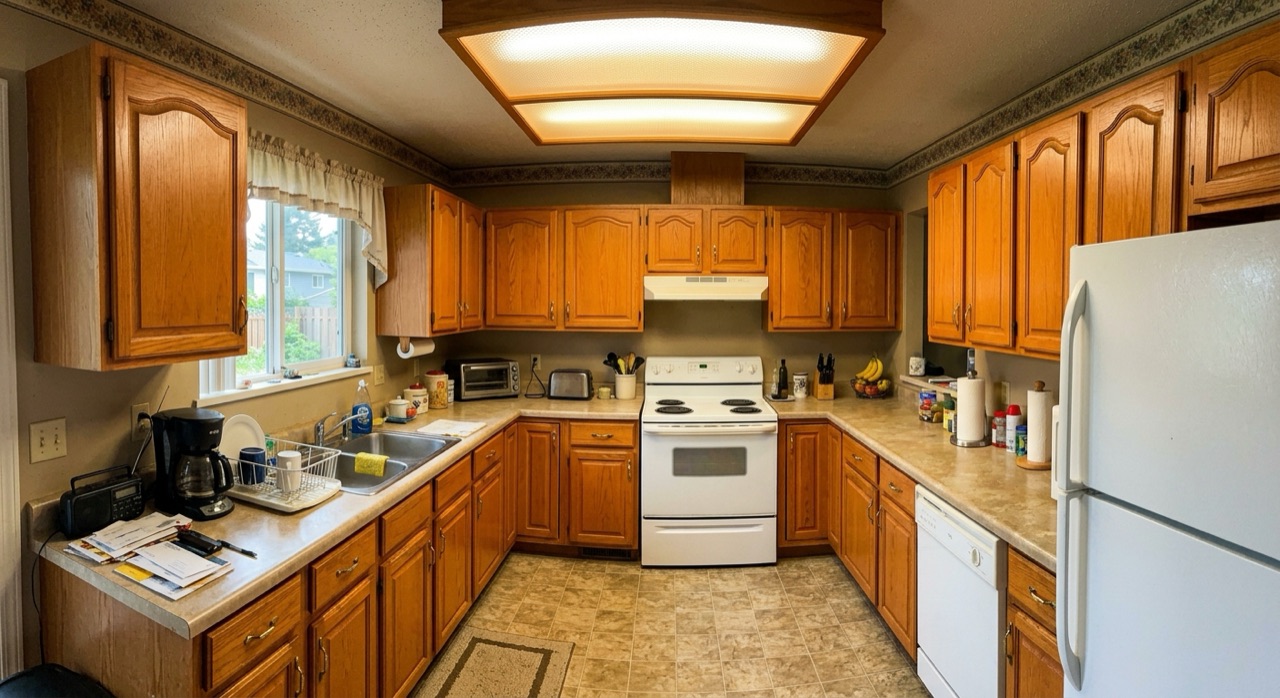
Drag the handle to compare · generated by Platineer AI in ~15 seconds
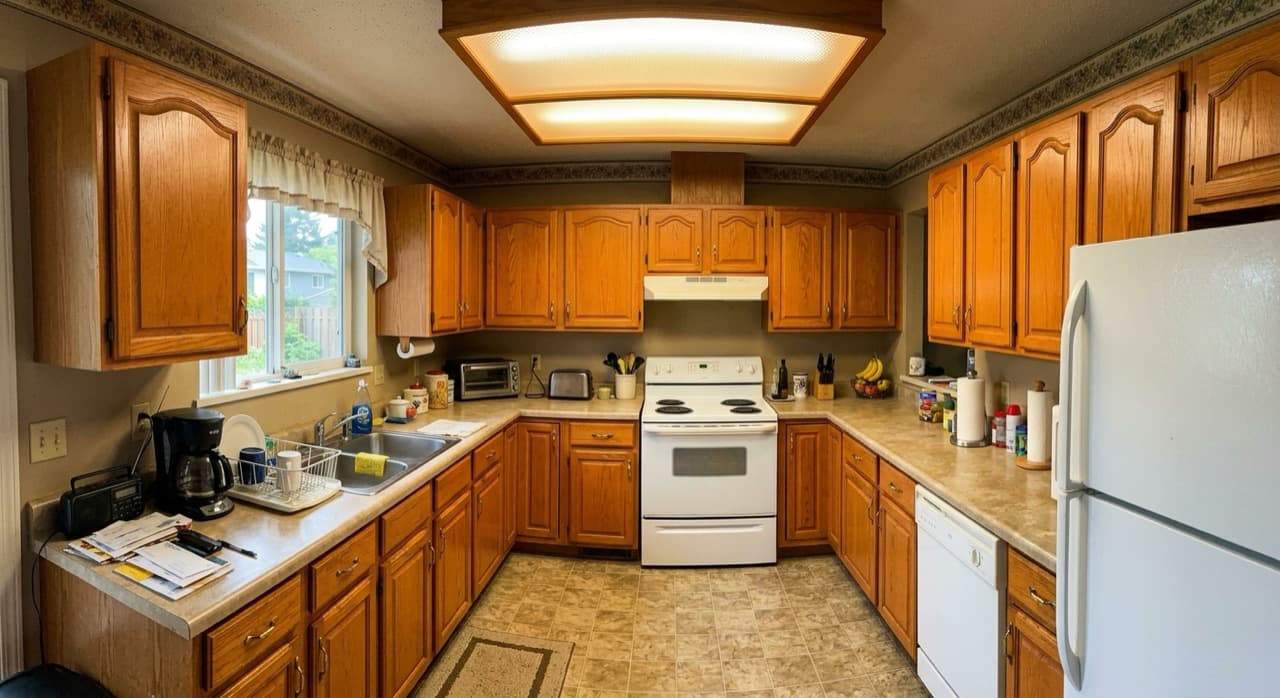
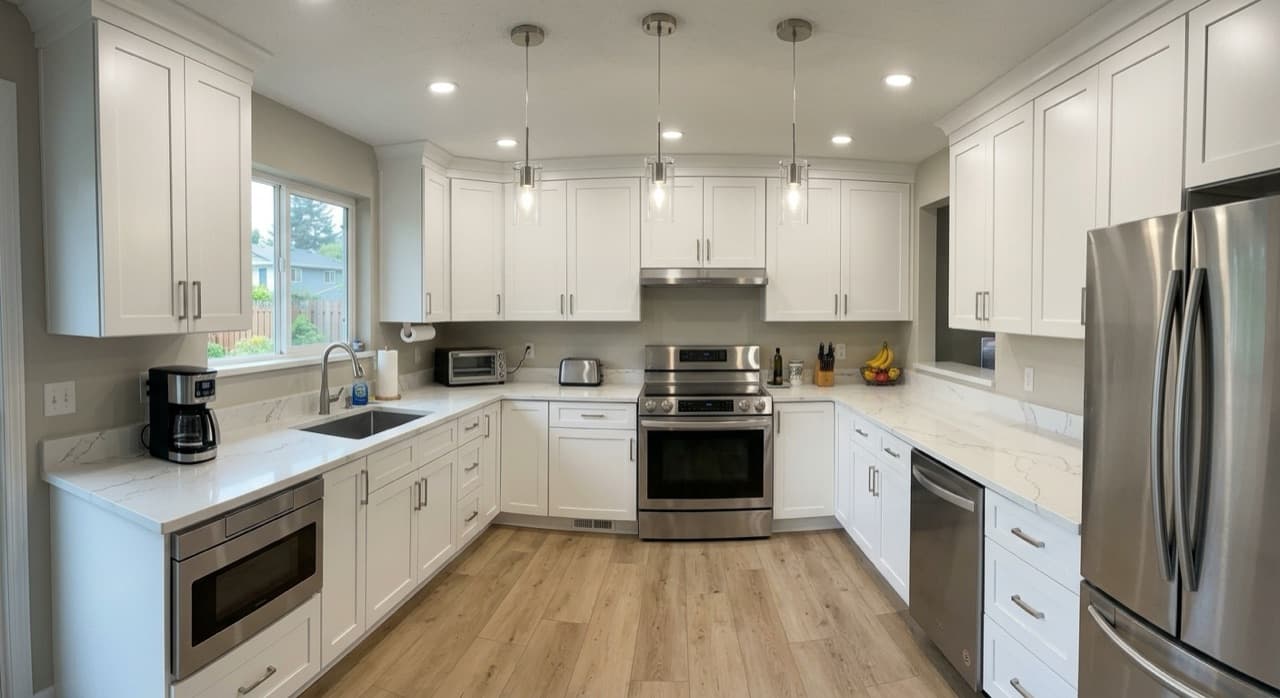
What the render changed
- Oak cabinet fronts replaced with flat-panel doors
- Laminate counters swapped for a stone-look slab
- Backsplash, hardware and fixtures updated
- Lighting and finish palette warmed
- Room shape, window and camera angle left untouched
Make this from your own photo.
Upload any photo, add a note about the scope, and get a finished render in about 15 seconds.
Open the rendererWhy the camera angle matters
Most rendering tools hand back a beautiful kitchen that is not the customer's kitchen. That is the fastest way to lose a homeowner's trust at the table. This render keeps the original framing, window position and sightlines, so the client is looking at their own room finished — not a catalogue photo. The comparison above is the same pixels, same viewpoint, one pass apart.
Using a before and after in the sale
A kitchen remodel is an expensive, abstract purchase, and the gap between what a contractor describes and what a homeowner pictures is where jobs stall. Showing a rendered after alongside the current photo collapses that gap in one frame. Contractors use these on the first visit, attached to the estimate, and as the cover of a proposal — the point is to put a picture on the number before the homeowner has to imagine it.
What it costs and how long it takes
Traditional photoreal renderings run roughly $300–$800 per view and come back in a week — which is why most residential remodelers never order one and sell from a spec sheet instead. This takes a phone photo and about 15 seconds. That changes what is worth rendering: not just the flagship job, but every kitchen you quote.
FAQ
How do I make a kitchen remodel before and after photo?
Take a photo of the existing kitchen on your phone, upload it to the Platineer renderer, and optionally describe the changes you have in mind (for example: 'flat-panel white cabinets, quartz counters, brass hardware'). The tool returns a finished 'after' from the same camera angle in about 15 seconds.
How fast is the kitchen render?
About 15 seconds from upload to finished image. You can download the result and use it in a proposal straight away.
Will the render keep my actual kitchen layout?
Yes. The render preserves the room's geometry, window placement and camera angle, and changes finishes, cabinetry and fixtures. That is deliberate — a render that changes the room is useless for selling a specific job.
Can I ask for specific finishes?
Yes. Type any instruction alongside the photo — a cabinet colour, a counter material, 'remove the upper cabinets', 'open this wall'. Your instructions override the default styling.