The construction estimating software market is already a multi-billion-dollar category, not a niche experiment. One 2026 estimate places it at US$1.9 billion, with a projection of US$3.4 billion by 2033 at an 8.6% CAGR. Other forecasts put the market at about US$1.5 billion in 2024, growing to US$2.62 billion by 2030, while another projects US$1.8962 billion in 2024 reaching US$5.2879 billion by 2034. These are projections, not guarantees, but they show where contractors are investing. (Persistence Market Research)
The reason is practical. Estimator time is a cost, and every hour spent measuring, checking formulas, chasing quotes, qualifying scope, or rebuilding a proposal reduces the capacity available for the next bid. The right cost estimating tool shortens that chain. The wrong one adds duplicate entry, disconnected spreadsheets, training overhead, or a data cleanup project that delays the value you expected.
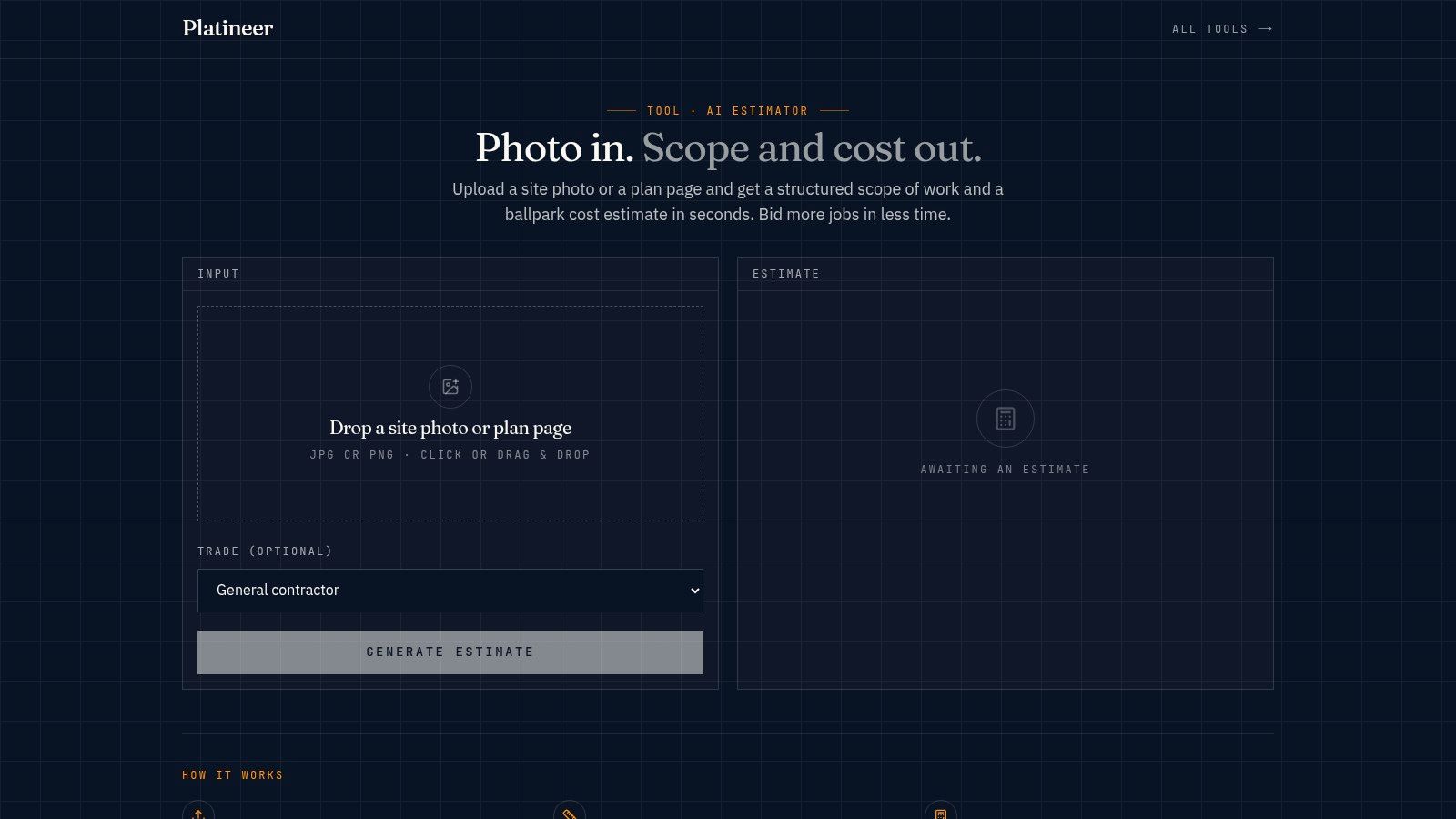
This comparison looks at the workflow each tool supports, its takeoff method, estimating depth, collaboration model, project and trade fit, pricing cue, and limitations. For early screening, Platineer's AI Construction Estimator is worth testing early. It turns a site photo or plan page into a structured, ballpark scope quickly, helping a contractor decide whether a lead deserves a full bid before committing detailed estimating labor.
Table of Contents
- 1. AI Construction Estimator
- 2. STACK Takeoff & Estimate
- 3. Bluebeam Revu
- 4. PlanSwift by ConstructConnect
- 5. Sage Estimating with eTakeoff and RSMeans
- 6. RSMeans Data Online by Gordian
- 7. HCSS HeavyBid
- 8. B2W Estimate by Trimble
- 9. InEight Estimate
- 10. Buildxact US
- Top 10 Cost Estimating Tools Comparison
- Choose the Workflow That Saves the Most Time
1. AI Construction Estimator
Platineer's AI Construction Estimator targets the earliest estimating decision: whether an opportunity deserves detailed bid effort. Upload a site photo or plan page, and the web-based tool returns a structured scope with line-item costs and category subtotals. It separates labor, materials, equipment, permits and fees, overhead, and profit, then includes an estimated timeline, crew-size guidance, and the assumptions used.
That workflow fits contractors screening inbound leads, specialty trades reviewing early project information, and business development teams preparing a usable handoff to estimating. A salesperson can provide a consistent scope instead of forwarding an image with little context. The estimator can then check the assumptions, identify missing information, and decide whether to proceed with a measured takeoff.
Where it earns its place
The trade-off is clear: faster screening in exchange for less measurement detail. The tool supports ballpark scoping, while a final tender still requires a full quantity takeoff, trade-specific production assumptions, supplier quotes, and human review. Input quality affects the result. A readable plan page gives the system more usable information than a poor photo, and complex projects need closer validation.
Practical rule: Use an AI-generated estimate to decide where estimating time belongs. Validate scope, quantities, quotes, production assumptions, and local conditions before treating the result as a bid figure.
Platineer also places early estimate information alongside permits, plats, plan reviews, owner records, and contact details. That connection can help teams turn an initial project signal into a defined next step. Teams comparing visual inputs with automated measurement can review AI takeoff software.
Best fit: Contractors qualifying early opportunities, specialty trades screening inbound work, and BD teams preparing a shared scope before detailed estimating.
Limitation: It provides a fast cost expectation, not the audit trail or measurement detail required for a final tender.
2. STACK Takeoff & Estimate
STACK combines digital takeoff and worksheet-style estimating in a browser-based preconstruction platform. It fits general contractors and specialty subcontractors that need estimators, project managers, and reviewers working from one plan set without installing desktop software.
The main workflow runs from measurement to priced estimate to proposal. STACK IQ adds AI-assisted takeoff and symbol recognition, while items and assemblies support repeatable pricing structures. The STACK for Excel integration gives teams a practical handoff when their existing pricing models still work well. Quantities can move into familiar Excel processes without requiring an immediate change across the estimating department.
Collaboration without a desktop bottleneck
Cloud access supports distributed estimating teams. Reviewers can work from current documents, and unlimited viewer seats make it easier to include people who need visibility but do not prepare estimates. Document controls also lower the risk of pricing an outdated drawing set.
STACK publishes pricing and provides a free tier, making the workflow easier to test before a broader commitment. The trade-off is cost at higher tiers. Small shops may find those plans difficult to justify unless bid volume or collaboration demands offset the expense. Stable internet access is also required, and offline estimating remains limited.
A contractor already working in Excel can adopt STACK for plan control and takeoff while retaining familiar pricing logic. That approach reduces implementation effort and preserves the existing estimating model. Teams seeking a fully self-contained, offline desktop process may prefer a different fit.
Platineer's Estimate tool can support the earlier lead-qualification stage before a project reaches collaborative takeoff. Explore the STACK platform alongside Platineer's Estimate tool when those handoffs are part of the process.
Best fit: Distributed GC and subcontractor teams that want cloud takeoff, shared documents, AI-assisted measurements, and an Excel handoff.
Limitation: Higher-end plans may not suit a small estimating department, and weak connectivity can interrupt production.
3. Bluebeam Revu
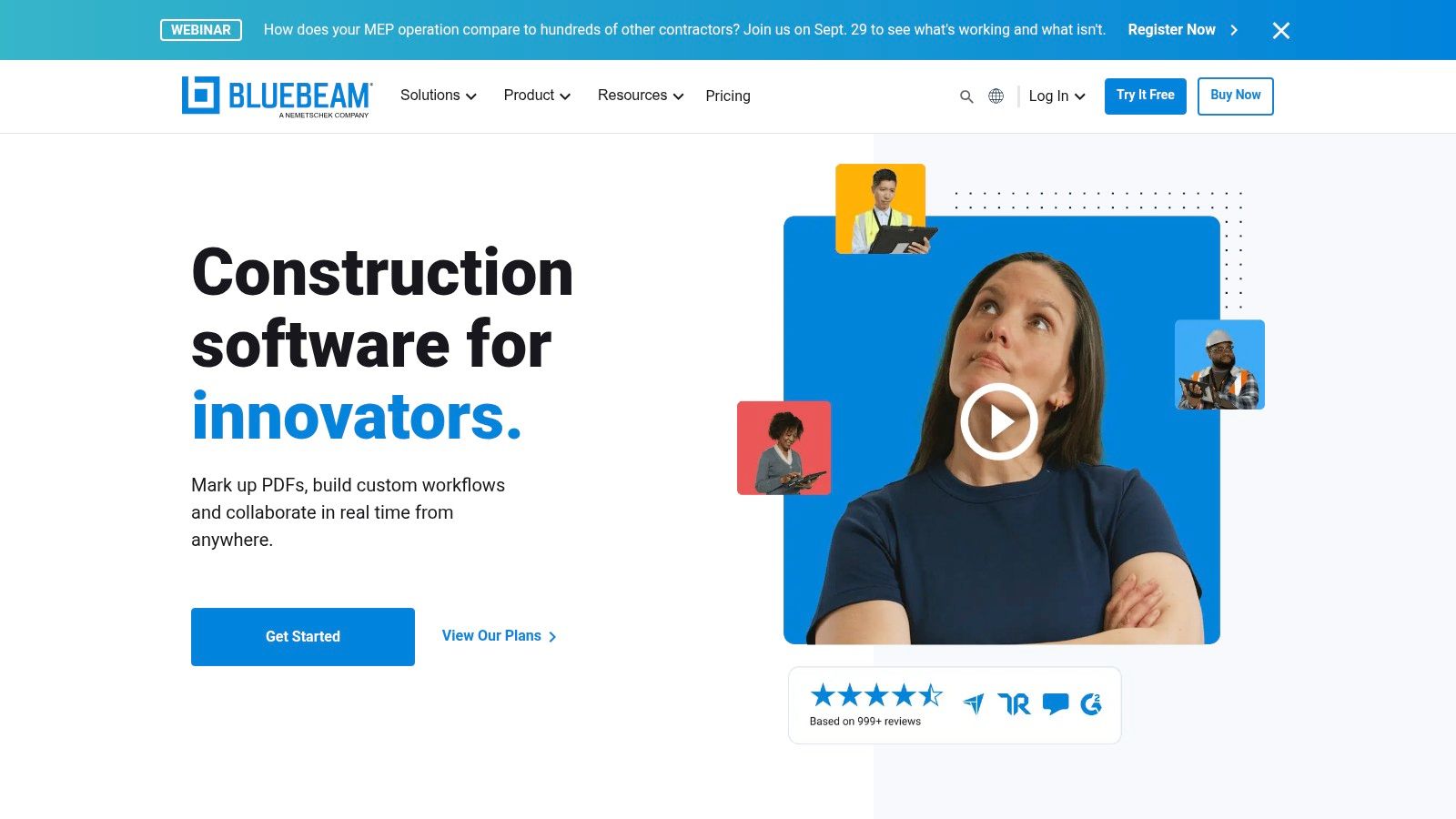
Bluebeam Revu remains a strong choice for teams whose estimating workflow starts with 2D PDF measurement and markup. It handles perimeter, count, angle, and volume measurements, while Dynamic Fill helps users capture areas and shapes without treating every drawing as a manual ruler exercise.
The key handoff is Quantity Link to Excel. Revu can push live measurement totals into a spreadsheet, which suits estimators who already maintain pricing models, assemblies, labor rates, and proposal templates outside the PDF environment. Studio Sessions and Projects add collaboration around drawings and markups, so reviewers can discuss scope without passing multiple annotated files through email.
Excellent measurement, limited cost intelligence
Bluebeam's advantage is familiarity and exchangeability. Marked-up PDFs are easy to share across contractors, designers, and owners, and many estimators already understand the measurement environment. It can reduce the friction of moving from plan review to quantified scope.
The limitation is equally important. Revu is primarily a takeoff and markup environment, not a complete estimating model. The estimating math, cost database, quote comparison, and job-cost handoff typically live elsewhere. That can work well for a disciplined Excel-based operation, but it won't automatically create one connected cost record.
The desktop application is Windows-only, while some collaboration functions are delivered through web or mobile extensions. Teams also need to plan around product-version transitions, including the end-of-support and end-of-life dates associated with Revu 20.
Best fit: Estimators who need dependable PDF measurement and a direct Excel workflow.
Limitation: It saves measurement time, but the broader estimate still depends on the external pricing model and the quality of the handoff.
Visit Bluebeam Revu to assess whether its PDF-first workflow matches your drawing and spreadsheet practices.
4. PlanSwift by ConstructConnect
PlanSwift is a Windows desktop system with a long-standing following among specialty trades. Its workflow is straightforward for teams that receive PDF, DWG, DXF, or other supported plan files, perform takeoff, build assemblies, and send quantities or pricing into Excel-based bid templates.
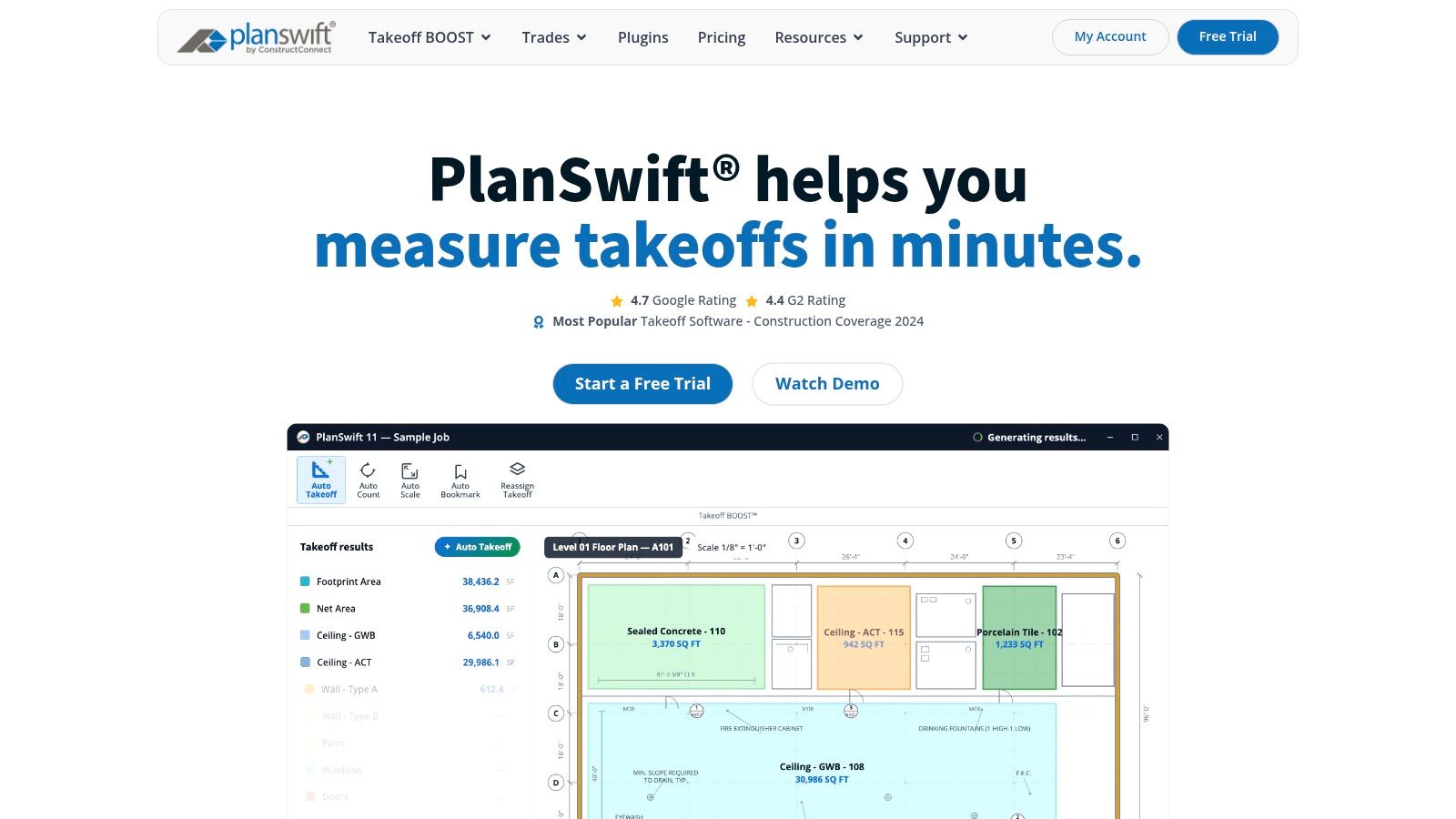
AI Takeoff BOOST adds tools such as Auto Count, Auto Scale, and Auto Bookmark, with higher-level functionality adding Auto Takeoff. These features can reduce repetitive symbol counting and setup work, especially on drawings with consistent visual patterns. Assembly-based estimating then connects measured quantities to labor and material inputs.
A familiar trade workflow with a clear boundary
PlanSwift works best when the estimating team values control over assemblies and already thinks in Excel. Live Excel Link supports reporting and bid templates, so the handoff doesn't require rebuilding every downstream calculation. Plan overlays and drawing comparisons also help estimators identify revisions before they carry old quantities into a bid.
The cost of that familiarity is deployment flexibility. PlanSwift isn't browser-based, and it requires a Windows installation. Collaboration depends more heavily on shared storage and team discipline than on a fully native multi-user cloud workspace. Advanced AI functions also require a higher tier, so the time saved from automation needs to justify the additional licensing cost.
For a specialty contractor with stable desktop processes, that trade-off may be sensible. For a distributed team that expects browser access from varied devices, it may create avoidable friction.
Best fit: Specialty trades with assembly-driven estimates, Windows workstations, and strong Excel dependencies.
Limitation: Desktop installation and shared-storage collaboration can slow teams that need real-time browser access.
Before configuring assemblies, review what a disciplined material takeoff must capture and compare it with PlanSwift's measurement workflow.
5. Sage Estimating with eTakeoff and RSMeans
Sage Estimating is aimed at organizations that need a database-driven estimating system connected to a broader construction management and back-office environment. Its relationship with eTakeoff Dimension supports a takeoff-to-estimate flow, while RSMeans data supplies localized cost items and updates for conceptual and detailed pricing.
The platform is strongest when the company already uses Sage for accounting, project management, or job-cost processes. Assemblies, markups, templates, historicals, and library-driven estimates help standardize the way multiple estimators build work. That consistency is more valuable than a flashy interface when a firm needs estimates to survive staff changes and remain comparable across projects.

Scale brings implementation work
Sage can support both early conceptual estimates and detailed bids, but the implementation effort is part of the purchase decision. Quote-based licensing, separate RSMeans data subscriptions, library configuration, training, and integration work can make the first phase heavier than a lightweight takeoff tool.
The platform's value improves when the handoff into Sage's back office matters. A company that wants a standalone estimating application may pay for ecosystem depth it won't use. A company that wants estimating, project controls, and job-cost data connected may see that same depth as the reason to choose it.
Keep the library honest: A cost database improves consistency, but estimators still need current subcontractor quotes, labor assumptions, equipment costs, and project-specific judgment.
Best fit: Mid-sized and large general contractors already invested in Sage modules and standardized estimating libraries.
Limitation: Licensing and implementation can be significant, and the strongest return usually requires broader Sage adoption.
Review Sage Estimating with the integration path, not just the takeoff screen, as the main buying criterion.
6. RSMeans Data Online by Gordian
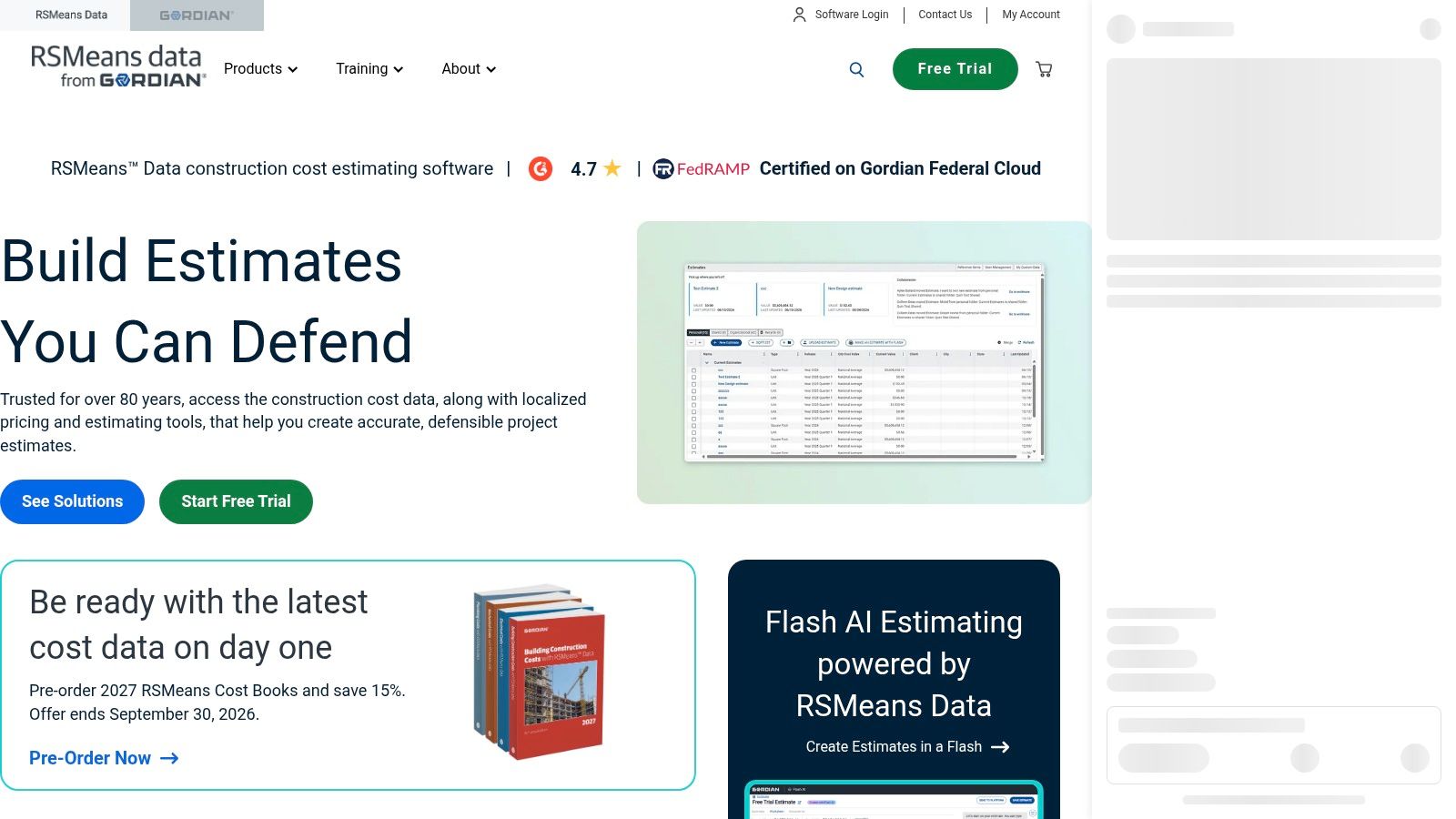
RSMeans Data Online is best understood as a cost validation and benchmarking resource, not a complete takeoff-to-proposal system. It provides unit, assembly, and square-foot costs, location factors, cost trends, reference items, and lifecycle costing tools through web-based access. Teams can also use RSMeans in book form or through organizational subscriptions.
Its practical role is to give owners, GCs, and subcontractors a defensible baseline when supplier quotes vary or a project is still too early for complete procurement data. An estimator can compare a developing internal number against localized reference data, identify an outlier, and explain the basis of a conceptual budget to a stakeholder.
Validation is valuable, but it isn't takeoff
RSMeans saves time when the alternative is building a baseline from scattered historical files or defending every allowance from memory. It can also help normalize estimates across locations, provided the estimator understands what the data represents and adjusts for the actual project.
It won't measure drawings, manage plan revisions, compare subcontractor quotes, or create a finished proposal by itself. That means the economic value comes from pairing it with a takeoff or estimating platform. The subscription structure also requires care. Tiers differ by dataset, and refunds are limited, so teams should confirm exactly which cost information they need before committing.
Best fit: Teams validating conceptual budgets, checking market quotes, or supporting estimates with a recognized third-party reference.
Limitation: It strengthens pricing judgment but doesn't replace the measurement and workflow system around it.
Use RSMeans Data Online when your problem is cost confidence and defensibility, not when your primary bottleneck is drawing measurement.
7. HCSS HeavyBid
HeavyBid supports heavy civil estimating, where bids depend on unit prices, production rates, crews, equipment, subcontractor quotes, and tender requirements. That makes it a practical fit for DOT, roadway, bridge, sitework, and utility contractors. Remodelers and interiors firms may find its civil focus unnecessary.
Its workflow connects production-based crews and cost libraries with quote management. Estimators can compare vendor and subcontractor pricing, build unit-price estimates, generate tender forms, and export schedules to P6 or Microsoft Project. The web-based version also carries estimate history and library data through features such as Flashback.

Production knowledge is the handoff
HeavyBid saves more than calculation time. It keeps quantities, crew composition, production assumptions, quotes, and field-cost feedback connected through HeavyJob. That gives civil contractors a clearer handoff from estimate to execution than separate spreadsheets can provide.
The trade-off is implementation effort. Quote-based pricing, training, library setup, and integration choices require management attention before the team sees the full time savings. Smaller contractors may accept that work if they bid production-intensive civil projects regularly. Service trades and interiors contractors may not use enough of the system to justify its depth.
Industry reporting identifies estimating software as a mainstream workflow. For heavy civil firms, the practical question is whether the system reflects how crews produce work and how operations need to receive the estimate.
Best fit: Heavy civil contractors that need production rates, quote comparison, unit pricing, and field feedback.
Limitation: HeavyBid can be excessive outside civil work, and adoption requires more than installing the application.
See HCSS HeavyBid when the estimate must transfer production logic into operations.
8. B2W Estimate by Trimble
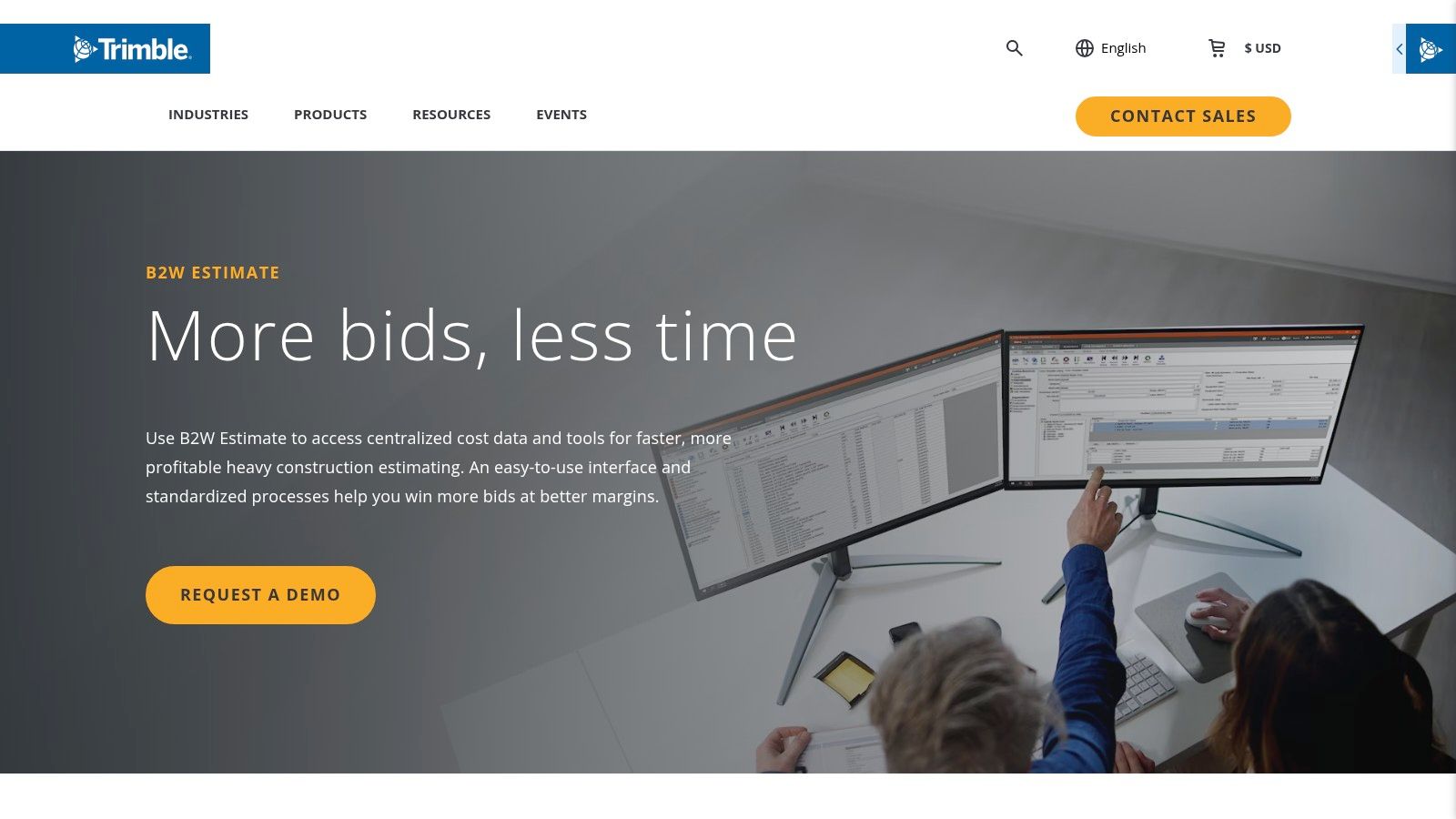
B2W Estimate is built for civil contractors whose bids depend on centralized cost data, production rates, and unit-price bidding. It supports estimate checks, approvals, pricing strategy, and cost components such as overhead, profit, bonding, and taxes. That makes it more useful for repeatable civil bidding than for a general contractor pricing a wide mix of building trades.
The wider B2W suite connects Estimate with Schedule, Track, Maintain, and Inform, along with accounting systems. Those connections support a handoff from estimate to production, equipment, maintenance, and project reporting. The benefit depends on consistent coding and data ownership. Without that discipline, integration can create more fields to maintain.
Structured controls for civil bids
B2W's main advantage is process control. A shared database and built-in estimate checks help growing civil teams apply the same pricing logic across projects. Professional and Enterprise editions offer different levels of functionality, so the practical choice depends on users, project complexity, and the controls the company needs.
That structure can reduce rework and review time, but it requires setup. Teams must maintain cost libraries, production assumptions, approval rules, and accounting connections. Smaller contractors may not recover that implementation effort if they bid only occasional civil work.
Pricing is quote-based, so a buyer cannot confirm total ownership cost from a public price list. Edition differences also make early comparisons less direct. Cloud deployment represented more than 51% of construction estimating software revenue in 2024, according to Grand View Research. B2W still needs to match the contractor's production workflow and accounting handoff.
Best fit: Mid-market and enterprise civil contractors that need controlled bidding and B2W integration.
Limitation: Quote-based pricing, edition differences, and setup work complicate early evaluation.
Review B2W Estimate against your cost database, approval process, and production handoff before comparing module counts.
9. InEight Estimate
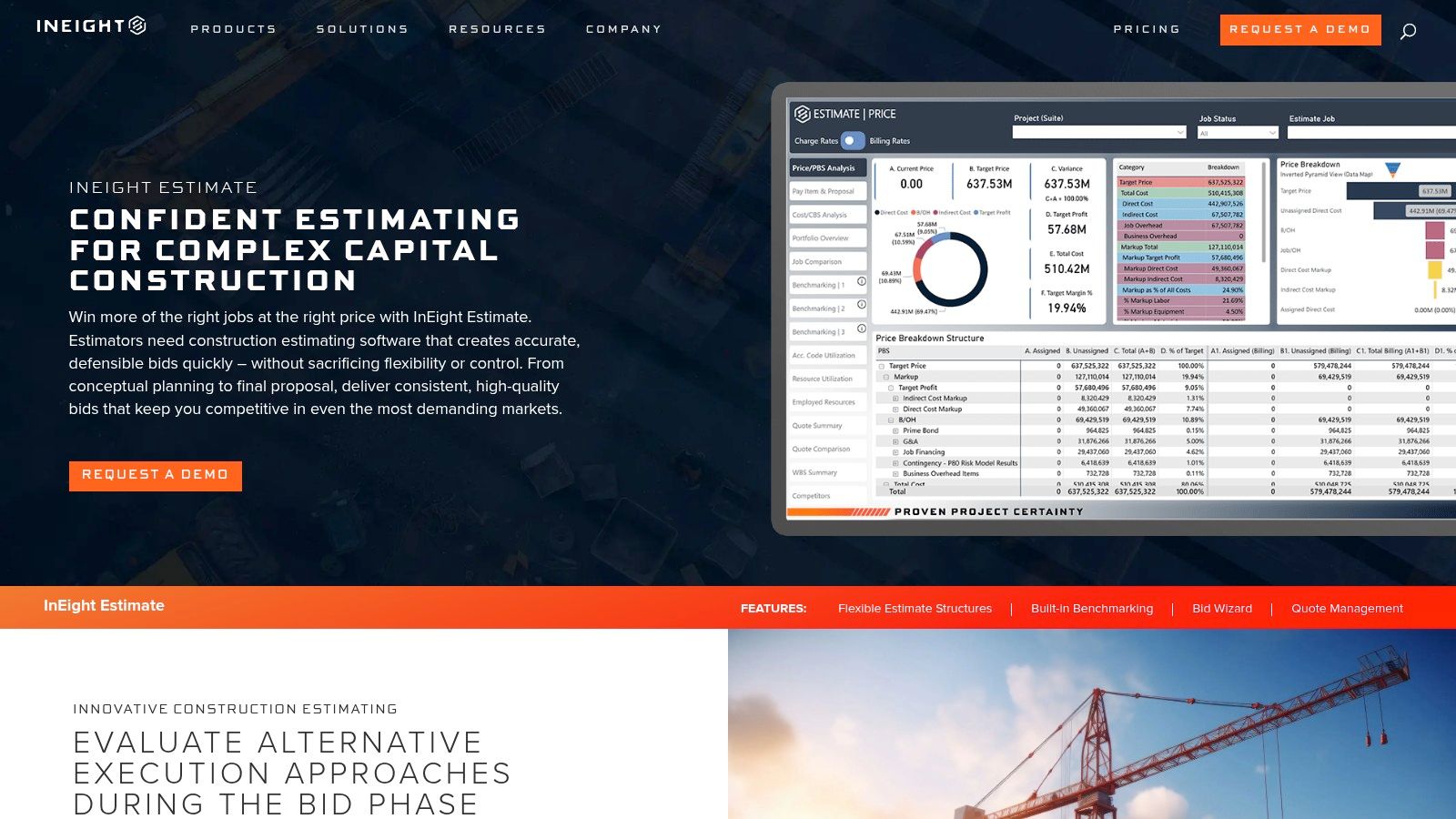
InEight Estimate is designed for large infrastructure, industrial, and building projects where an estimate may move from conceptual development to detailed, bottom-up pricing and then into schedule and cost control. It supports vendor quote management, historical benchmarking, and integrations across Excel, BIM or model data, scheduling, and project controls.
The workflow fit is enterprise preconstruction. Estimators can compare vendor and subcontractor quotes, benchmark unit prices, investigate outliers, and prepare a time-phased handoff into InEight Schedule and InEight Control. That matters when the estimate must become a management baseline rather than remain a bid file that disappears after award.
The price of continuity is discipline
InEight can reduce duplicated work across estimating, scheduling, and controls, but only if the organization maintains libraries, templates, coding structures, and responsibilities. Poor setup turns a powerful system into another place where users enter incomplete data. The platform's value is therefore tied to process maturity as much as software capability.
InEight NOW offers a quicker pilot or proof-of-concept path, which can help a team test fit before a broader rollout. Even so, pricing is quote-based and the product is oriented toward larger teams. A small contractor with straightforward building bids may gain more from a lighter tool with less configuration.
Best fit: Enterprise teams managing complex, multi-discipline estimates and formal cost-control handoffs.
Limitation: Setup, training, and data governance can outweigh the benefits for smaller or less integrated operations.
Visit InEight Estimate when the estimate must remain useful after award, during scheduling, and through cost control.
10. Buildxact US
Buildxact takes a different approach from the civil and enterprise platforms. It targets residential builders, remodelers, and small general contractors that want takeoff, estimating, quoting, scheduling, invoicing, purchasing, and client communication in one browser-based workflow.
Digital takeoff and templated estimates provide the core. AI assistants such as Blu support the estimating process, while material dealer connections can help create purchase orders. Scheduling, a client portal, invoicing, mobile access, and integrations extend the handoff beyond the bid, which is useful when the same small team manages preconstruction and delivery.
A practical all-in-one choice for smaller teams
Buildxact's transparent, tiered pricing and unlimited users on paid plans make it easier to evaluate as a company-wide system rather than a single-estimator application. For a remodeler, reducing duplicate entry between estimate, quote, schedule, purchase order, and invoice can save more labor than adding advanced takeoff features alone.
The limitation is project complexity. Buildxact is less suited to large commercial, industrial, or highly specialized bids that depend on deep production libraries, complex controls, or enterprise integrations. Its free Go plan uses credits, so heavy users may outgrow it and need to budget for a paid tier.
Best fit: Remodelers, residential builders, and small GCs that need estimating tied directly to job management.
Limitation: The all-in-one workflow can be a poor fit for complex commercial or industrial estimating.
Compare the Buildxact US platform with the tools your field team already uses. The best choice is the one that removes a handoff rather than adding another dashboard.
Top 10 Cost Estimating Tools Comparison
| Tool | Core features (✨) | Quality & UX (★) | Price & value (💰) | Target audience (👥) | USP / Why choose (🏆) |
|---|---|---|---|---|---|
| AI Construction Estimator (Platineer) | ✨ Photo/plan → line-item scope, timelines, crew-size | ★★★★☆ Web-based, fast; ballpark accuracy | 💰 Pay-per-use / subscription; high ROI for quick pre-bids | 👥 Estimators, BD teams, field leads | 🏆 Instant scoped estimates + Platineer lead/pipeline integration |
| STACK Takeoff & Estimate | ✨ AI takeoff, integrated estimating, Excel sync | ★★★★☆ Cloud-first, collaborative, easy onboarding | 💰 Tiered pricing; usable free tier for small teams | 👥 GCs & subs needing cloud collaboration | 🏆 True multi-user cloud + STACK→Excel workflow |
| Bluebeam Revu | ✨ Advanced PDF measurement, Dynamic Fill, Quantity Link | ★★★★★ Industry-standard markup; strong PDF workflows | 💰 Perpetual + subscription options; mid-range value | 👥 Estimators, reviewers, architects | 🏆 Best-in-class PDF takeoff & Excel link for estimators |
| PlanSwift (ConstructConnect) | ✨ AI takeoff BOOST, assembly estimating, Excel link | ★★★★☆ Desktop-focused; familiar Windows workflow | 💰 Perpetual/licensed; add-on tiers for AI features | 👥 Specialty trades & Excel-centric estimators | 🏆 Fast symbol counting and deep Excel handoff |
| Sage Estimating (+eTakeoff/RSMeans) | ✨ DB-driven estimating, RSMeans integration, eTakeoff link | ★★★★☆ Enterprise-grade; robust but complex setup | 💰 Quote-based; best value with Sage ecosystem | 👥 Mid-to-large GCs using Sage accounting | 🏆 Tight back-office integration & localized pricing |
| RSMeans Data Online (Gordian) | ✨ Unit/assembly costs, location factors, cost trends | ★★★★☆ Credible data source; web access for lookup | 💰 Subscription data; essential for defensible budgets | 👥 Estimators, owners, GCs needing market data | 🏆 Authoritative US cost database for benchmarking |
| HCSS HeavyBid | ✨ Unit-price crews, production rates, quote mgmt | ★★★★☆ Deep civil workflows; steep learning curve | 💰 Quote-based; enterprise ROI for heavy civil | 👥 Heavy civil contractors, DOT bidders | 🏆 Standard for heavy civil estimating and integrations |
| B2W Estimate (Trimble) | ✨ Central cost DB, bid strategy, multi-edition options | ★★★★☆ Production-focused; scales to enterprise | 💰 Quote-based; enterprise pricing (Trimble suite) | 👥 Civil contractors focused on production rates | 🏆 Centralized estimating for heavy-production bidding |
| InEight Estimate | ✨ Benchmarking, quote mgmt, schedule & cost handoffs | ★★★★☆ Enterprise workflow; strong integrations | 💰 Quote-based; targeted at large teams/projects | 👥 Owners, EPCs, large contractors | 🏆 Enterprise estimating with benchmarking & controls |
| Buildxact (US) | ✨ Digital takeoff, templated estimates, dealer POs | ★★★★☆ SMB-friendly, browser + mobile; simple UX | 💰 Transparent tiers; unlimited users on paid plans | 👥 Residential builders, remodelers, small GCs | 🏆 All-in-one estimating → job management for SMBs |
Choose the Workflow That Saves the Most Time
The best cost estimating tool isn't the one with the longest feature list. It's the one that removes the most expensive repeated work in your actual bid process while preserving the assumptions, quantities, quotes, and approvals people need to review.
Start with the point where your team loses time. If the problem is deciding whether an early project deserves detailed attention, use AI Construction Estimator for rapid scoping from a photo or plan page. Its value is early qualification. It can help BD and estimating agree on a likely scope before an estimator spends hours on a full takeoff. The output still needs review, and it shouldn't replace a detailed bid when project risk or contractual requirements demand stronger measurement evidence.
If several estimators, reviewers, or offices need access to the same drawings, choose a cloud takeoff platform such as STACK. Cloud deployment has become the dominant architecture in the market, representing over 51.0% of revenue in 2024, according to Grand View Research. That adoption reflects a real collaboration benefit, but it doesn't remove the need for clean document control, stable connectivity, and a defined ownership model for estimates.
For a lightweight PDF-and-Excel operation, Bluebeam Revu or PlanSwift may deliver the best return. They fit teams that already have pricing logic, assemblies, and proposal templates that work. The savings come from faster measurement and cleaner quantity transfer, not from pretending the software has solved the entire cost model.
Use RSMeans Data Online when the primary need is validation. A cost database can help an estimator challenge an outlier, build an early baseline, or explain a conceptual budget. It isn't a substitute for current quotes or project-specific judgment. The strongest workflow often pairs it with takeoff software and an internal historical library.
Heavy civil contractors should look first at HCSS HeavyBid and B2W Estimate. Their production-based crews, unit-price structures, quote management, and operational integrations are designed around civil work. A contractor bidding roads, utilities, bridges, or sitework may recover the implementation effort through more consistent production assumptions and a stronger estimate-to-field handoff. A remodeler likely won't.
Large infrastructure and industrial organizations may justify Sage Estimating or InEight Estimate when estimates must connect to job cost, scheduling, project controls, and standardized libraries. These systems require more configuration, training, and governance. That overhead is not automatically waste. It becomes waste when the organization buys enterprise complexity without assigning people to maintain the data and process.
The market context supports a careful test rather than a rushed purchase. Independent reporting places cloud-based deployment at about 63.8% of market value, identifies contractors as the largest user group at roughly 42% of revenues, and describes typical implementations ranging from 3 to 6 months for standard cloud setups to 9 to 18 months for enterprise deployments with custom integrations and training. (Dataintelo) Those figures are market estimates, not a promise about your rollout. They do show why implementation effort belongs in the business case.
Test every finalist on representative plans, not a polished vendor demonstration. Track the time from opportunity discovery through scope review, takeoff, quote collection, estimate approval, proposal creation, and handoff. Document assumptions and revision handling. Check the cost of quote management, data libraries, integrations, training, and ongoing administration.
The financial test is simple. Time savings are money savings only when the saved hours become useful capacity, lower labor cost per estimate, faster response, or better bid selection. One benchmark reported ProFormance Builder Solutions cutting a complex workflow from four hours to ten minutes, increasing capacity by 25% without adding headcount, and raising proposal output from 10 to 30 per day. (STACK preconstruction efficiency benchmarks) Causeway reports up to 90% time savings on bills of quantities production and 40% average savings on takeoff, claims that should be tested against your own plans and process rather than accepted as universal results. (Causeway estimating software)
Choose the tool that shortens the full workflow and keeps decision context available. Faster arithmetic is useful. Faster, better-informed decisions are where the margin protection begins.
Platineer combines AI-powered project intelligence with tools that help contractors scope work earlier, including an Estimate tool for photo- and plan-based ballpark pricing. Visit Platineer to connect early project signals with faster estimating and more targeted preconstruction decisions.