
Houston's permit workflow runs through three distinct tools, the Permit Portal, the Project Lookup, and the Plan Review status page, and doing this manually can take hours that could be earned elsewhere. The city's review targets are 15 business days for commercial plans and 10 business days for residential plans, but the clock only helps when you know which milestone your project has reached.
You've got a bid to chase, a superintendent waiting on a start date, and a project address that keeps returning different answers on different city pages. One screen shows an application, another shows plan activity, and a third may reveal that corrections are holding up approval. That's the practical meaning of Houston permits status. It isn't one green or red indicator. It's a sequence of milestones that determines when you can price work, call the decision-maker, schedule a crew, or stay away until the job is ready.
For contractors, time spent manually searching for permit records is time taken from estimating, procurement, supervision, and billable field work. A workable process must connect the public tools, interpret the status, and turn the result into a next action.
Table of Contents
- The Houston Permit Puzzle for Contractors
- Navigating the Houston Permit Portals
- Decoding Permit Status Milestones
- Manual Tracking vs Automated Intelligence
- Pro Tips for Managing Your Pipeline
- Conclusion - Stop Searching, Start Winning
The Houston Permit Puzzle for Contractors
Finding a project is only the first move. The useful question is whether the job is still a filing, moving through plan review, waiting on corrections, approved for permit purchase, issued, or ready for inspections. Houston's permitting materials describe a pipeline that includes application, plan review, inspections, and utility release or certificate of occupancy, so a project can exist in the public record long before a trade can mobilize. Houston Planning and Development materials also connect subdivision plat checks and site plan reviews to the wider building permit process.
That distinction changes how a contractor reads a lead. An address with a project number may be worth watching, but it doesn't automatically mean the plans are approved or that work can start. A job in review might be a useful early business-development lead. A newly issued permit may call for immediate outreach. An inspection milestone may matter more to a subcontractor waiting to sequence work than the original application date.

Why the search expands
The city separates related information across different tools. The Houston Permit Portal lets users search permits, print permits, request inspection schedule dates, and follow progress from submittal to issuance. The Office of the City Engineer separately directs users to check plan review status, inspection status, and plan submittal history with an 8-digit project number.
That split creates a familiar field problem. You may know the address but not the project number. You may have the project number but still need plan review history to understand why issuance hasn't happened. You may see a permit record without knowing whether a correction from one assigned business unit is holding up the whole package.
Practical rule: Treat the address, permit record, project number, and review history as related pieces of one project file, not as interchangeable searches.
What the contractor actually needs
A reliable search should answer four operational questions:
- What exists: Is there an application, plan review record, issued permit, or inspection activity?
- Where it sits: Which department or review stage currently controls the next move?
- What happens next: Is the applicant waiting on corrections, fees, issuance, or an inspection?
- When to act: Should estimating contact the project team now, or should business development keep monitoring it?
Manual searching can answer these questions, but it consumes attention every time a project changes. Automation is useful when it reduces repeated lookups without hiding the underlying city record. The objective isn't to replace judgment. It's to put the right status in front of the person who can act on it.
Navigating the Houston Permit Portals
Start with the city's main portal, then move to project-level information, and finish with plan review detail. Each tool answers a different question, so skipping one can leave a misleading gap in your pipeline.

Step one, search the Houston Permit Portal
Open the Houston Permit Portal and search using the information you already have, usually the address, permit details, or project number. Review the record for its current state, permit type, related actions, and any available inspection scheduling information. If the record is issued, print or save the permit information for your internal project file.
The portal is the best starting point when you need to know whether a permit exists and whether the record has progressed toward issuance. It also supports status tracking from submittal to issuance, which makes it useful for checking whether a lead has moved beyond an initial filing.
Don't stop at the first result. Confirm that the address, scope, and permit type match the work you're evaluating. A similar address or unrelated permit can send an estimator after the wrong opportunity.
Step two, use Project Lookup for the underlying record
When the portal gives you an incomplete picture, use the city's project lookup function to search by address or parcel information. This step helps connect the property to its underlying project record and can expose the project number needed for deeper review.
Record the 8-digit project number whenever it appears. That number is the bridge to plan review and inspection status, and it's more dependable than relying on a remembered address format. Keep it with the project name, owner or applicant information, scope, and the date you checked the record.
For land and early development signals, contractors can also review the Houston plat tracker walkthrough to understand how plat activity can sit earlier in the development sequence than a building permit.
Step three, check the Plan Review status page
Use the project number on the Office of the City Engineer's plan review status page. Check the current plan review status, inspection status, and plan submittal history. There you can determine whether the project is actively under review, has moved through a cycle, or has been sent back for corrections.
The reason for this final check is simple. A permit record can tell you that a project exists, while plan review history tells you why it may not be ready. Houston defines a review cycle as one complete review by all assigned business units. If any unit rejects the plans, corrections are required and the package must be resubmitted for another cycle.
Use the city's permit tracking guidance when you need to confirm how project numbers and review cycles work.
After checking all three locations, write one plain-language status note in your CRM or estimating system. For example, record whether the project is in review, awaiting corrections, approved, issued, or waiting on inspection activity. That note turns a fragmented search into a handoff another person can understand.
Decoding Permit Status Milestones
Status labels only become valuable when they change a scheduling decision. Under review means the plans have entered the review process, not that the permit is ready for purchase or field work. Houston's materials explain that plans are routed to the required departments after application submittal and fee processing, and that corrections may send the package into another review cycle. Houston permitting guidance on plan review is useful background, but the city record remains the source for the project's live position.
Read the stage, not just the label
An active review status tells estimating to protect the lead and monitor the next submission. It doesn't justify ordering materials or committing a crew. A correction status means the applicant has work to do before the package can move forward, and the timing depends on when corrected plans are resubmitted and how the next cycle proceeds.
Houston's published benchmarks make those movements easier to judge. The city reported that Building Code Enforcement reduced review times from 28 days in September 2021 to 17 days in June 2022, and that 68% of BCE plans were approved within the first two cycles. The same city materials identify service-level targets of 15 business days for commercial plans and 10 business days for residential plans. The city's Permitting Center overview also explains that the dashboard shows the total number of plans in the system and the oldest plan in review.
Those figures are operating benchmarks, not a promise that every project will clear on schedule. Scope, corrections, assigned departments, and resubmittal quality still affect the individual job.
Connect approval to mobilization
Houston's commercial guidance says plan review starts after application submittal and fee processing. Corrections may be required, and only after approval are remaining permit fees paid and approved plans downloaded. The city's residential guidance adds that most new construction, renovations, repairs, or additions require plan approval before purchasing a permit. Houston's Commercial Permitting 101 guidance therefore supports a practical rule: approval is a commercial trigger, but it isn't the same as field readiness.
Use the milestones this way:
- Under review: Keep the opportunity active, but don't promise a start date.
- Corrections required: Watch for resubmittal and avoid treating the original filing as a near-term mobilization signal.
- Approved: Confirm remaining fees, approved documents, and permit purchase requirements.
- Issued: Move the lead into active outreach and verify the scope before scheduling labor.
- Inspection scheduled: Coordinate access, trade readiness, and the responsible field contact.
A status is useful only when it tells you what your company should do next.
Manual Tracking vs Automated Intelligence
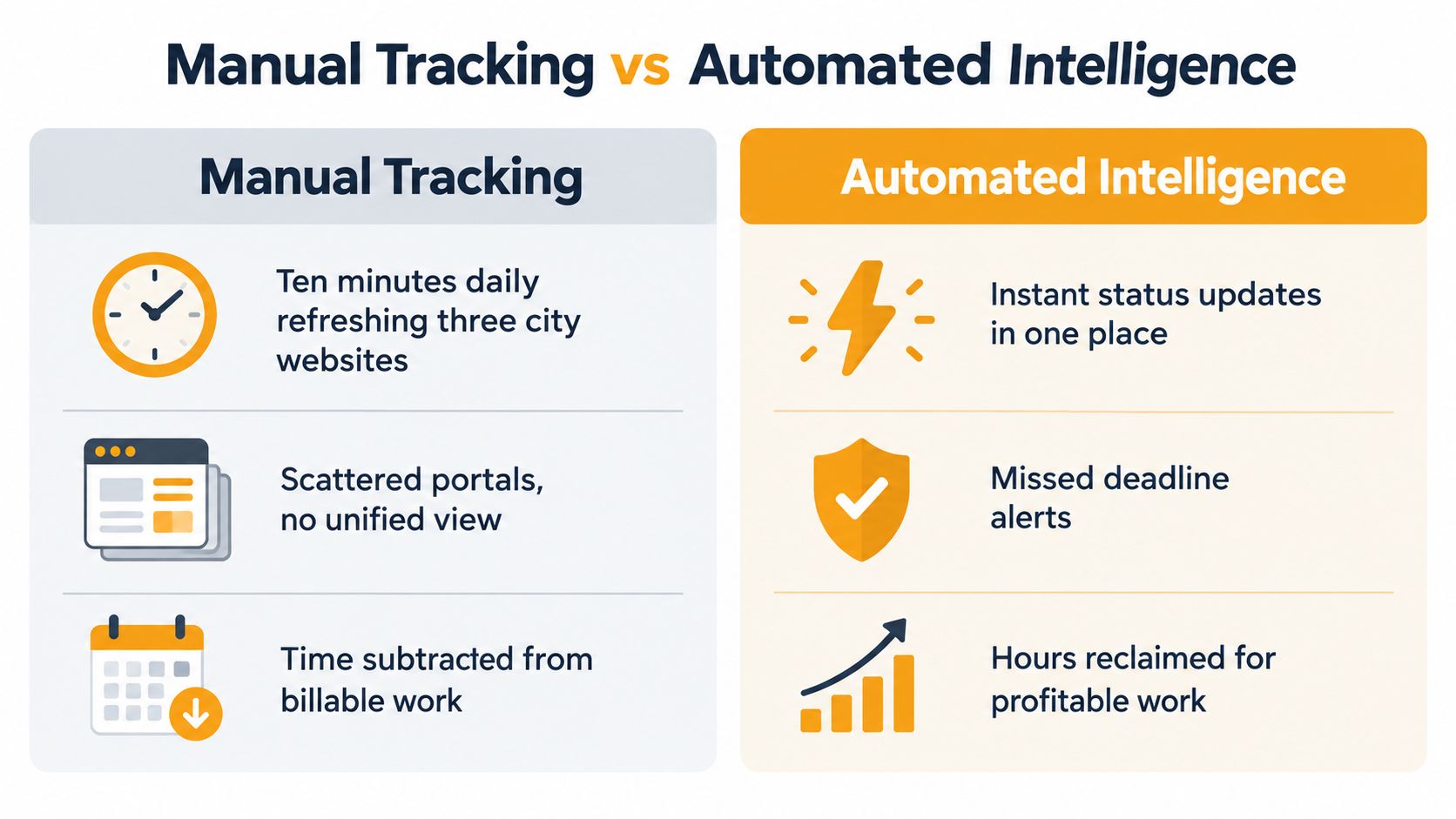
Manual tracking has one clear advantage. You see the public record directly and can investigate an unusual project without depending on a filtered system. It also costs attention every time you repeat the same searches, copy project numbers, compare dates, and decide whether a change matters.
For a contractor with a small, tightly defined pipeline, that may be acceptable. For a team following multiple addresses, trades, neighborhoods, or project phases, repeated checking becomes a hidden operating cost. Ten minutes spent refreshing three city websites is ten minutes unavailable for estimating, outreach, purchasing, or field coordination. The cost isn't the browser activity itself. It's the work that gets pushed aside.
The manual model
A manual process usually looks like this:
- Search the Permit Portal for known addresses or permit records.
- Look up the project number when the address search produces a usable result.
- Check plan review and inspection status separately.
- Copy changes into a spreadsheet or CRM.
- Decide which projects deserve a call.
- Repeat the process when a project is likely to move.
That workflow works when the list is short and someone owns it. It breaks down when the list grows, when records span departments, or when the team checks only after a competitor has already reached the project contact. Manual tracking also makes prioritization inconsistent. One estimator may focus on issued permits, while another spends time on projects that are still too early for a bid.
The automated model
An automated intelligence platform can monitor the underlying signals, filter projects by trade and territory, and surface changes for review. Platineer is one option in this category. Its Houston-focused system combines permits, plan reviews, plats, and owner records, then provides project status context, lead scoring, and decision-maker details for matched opportunities.
The important distinction is not just “automatic” versus “manual.” It's whether the system gives the team enough context to act. A useful alert should identify the project, explain the status change, show why the project fits the firm, and point the user toward the relevant owner, applicant, or construction firm. Without that context, automation just creates another inbox to clean.
The permit tracking software guide offers a broader look at the workflow.
What actually creates return
Automation can reclaim time, but it won't make an unqualified project valuable. Set filters around the work your company can pursue, then review the underlying city record before making contact. The platform should narrow the field. Your estimating and business-development judgment should make the final decision.
| Manual tracking | Automated intelligence |
|---|---|
| You decide which addresses to search. | The system surfaces matched project signals. |
| You compare separate status pages. | The project view connects related stages. |
| You maintain reminders yourself. | Alerts can flag changes that meet configured criteria. |
| You build context from scattered records. | Project and decision-maker context arrive together. |
| You spend time collecting data. | You spend time qualifying and pursuing work. |
The right measure is operational. Are estimators spending less time collecting records? Are calls happening closer to meaningful status changes? Are crews protected from premature scheduling? If the answer is yes, the workflow is doing its job. If alerts are noisy or unsupported by current records, tighten the filters rather than abandoning the process.
Pro Tips for Managing Your Pipeline
A permit pipeline needs ownership, dates, and a defined response. A browser tab isn't a system, and a spreadsheet filled with old project numbers won't tell the team which lead deserves attention this morning.
Build a status record that survives handoffs
For every target project, keep the address, project number, permit type, scope, current milestone, last checked date, next expected action, and responsible team member. Add the source page used for the check so another estimator can verify the entry without starting over.
Set reminders around events, not arbitrary habits. A project awaiting corrections deserves a follow-up after a resubmittal signal. An issued permit deserves prompt outreach. An inspection status calls for trade coordination, not another generic sales email.
Use departments as routing information
When a status appears stuck, first identify which part of the workflow owns the next action. Plan review, inspections, subdivision review, and site plan review can involve different city functions. Contacting the wrong department wastes time and can create confusion for the applicant.
Keep a short escalation note with the project record:
- Status observed: What the city page currently says.
- Evidence: The project number, review cycle, or inspection entry.
- Question: What specific milestone needs clarification.
- Owner: The city contact, applicant, or internal person responsible for the next call.
This approach gives the conversation a purpose. “What's happening with this permit?” is weaker than asking whether corrected plans were resubmitted or whether an inspection date is available.
Treat history as directional, not complete
Houston's public history is fragmented. The Planning and Development Department's development reports page says the Sold Permits Search covers a rolling three-year period, while complete history requires contacting Open Records. The same page states that the department stopped supplying links to Houston Public Works permit activity reports for records after December 1, 2025.
That limitation matters when you research older permits, neighborhood patterns, or comparable projects. Use available history to form a question, not to assume the public search is a complete market record. For older or incomplete records, document the gap and identify the next source instead of treating silence as proof that no activity exists.
Conclusion - Stop Searching, Start Winning
The value of Houston permits status isn't the status label by itself. The value comes from knowing what that label permits you to do next. A project in plan review may belong in early outreach. A correction cycle may call for monitoring rather than mobilization. An approved or issued record can change the urgency of your bid and your conversation with the project team.
Houston's system rewards disciplined reading. The Permit Portal shows the public permit path, Project Lookup helps connect the address to the underlying project, and the plan review tools reveal movement that an issued-permit search can miss. The city's own workflow makes clear that application, review, corrections, approval, issuance, and inspections are connected milestones, not interchangeable events.
Manual research still has a place. It's valuable for validating a high-priority lead, investigating an unusual record, and understanding what the city has published. It doesn't scale well when the same person must search every morning, reconcile project numbers, and decide which status changes deserve action.
The competitive advantage isn't finding a project record. It's knowing when the record has become actionable.
The history problem also deserves attention. Public status tools don't provide a complete view of every older permit or neighborhood pattern, so contractors should separate confirmed current activity from incomplete historical evidence. That discipline protects the pipeline from false confidence and helps business development focus on verifiable opportunities.
Time savings is money savings when the recovered time goes into estimates, qualified calls, procurement, and supervision. Whether you refine a careful manual process or add automated intelligence, build the workflow around one question: what should the team do because this status changed?
Platineer helps Houston contractors monitor permits, plan reviews, plats, and related project signals in one pipeline, with filtering by trade, territory, and valuation and status context for follow-up. Visit Platineer to see how its project intelligence workflow can reduce manual searching and help your team act on the right opportunities sooner.